The LinkedIn Ad Library sorted by format

The extension on an Ad Library, as it is

Fabrikam

24 of 24 ads shown

Fabrikam

Formats
previous week

Total184

Tick a format: the page shows only those ads. Illustrative data.

Built for LinkedIn Ads, and staying that way. Google Ads and Microsoft Ads live in the Overt web app.

What it does

Everything a company runs on LinkedIn Ads, where you already look.

The extension works on the LinkedIn Ad Library, on LinkedIn company pages, and on any company’s own website. Nothing to configure.

On the Ad Library

Filter any Ad Library by format.

One click counts every ad on the page and breaks them down by format. Tick the formats you want, the page shows only those.

  • Counted and sorted

    Single image, video, carousel, document, text, spotlight, event, thought leader, and more: every format LinkedIn Ads runs, with its count.

  • Show only what you want

    A checkbox per format, and “Show/Hide All”. Look at the videos alone, then the documents alone.

  • A/B variants side by side

    Ads that share a creative are grouped, so a test reads as a test, not as ten ads.

  • Languages

    The languages a company advertises in, and how many ads in each.

  • Download

    The ads you see, in a ZIP: an HTML sheet and a JSON file, grouped by language and format, for your swipe file or your report.

A/B variants · Fabrikam 3 variants · 1 creative
Illustrative data.
On LinkedIn company pages

How many ads did they run last week?

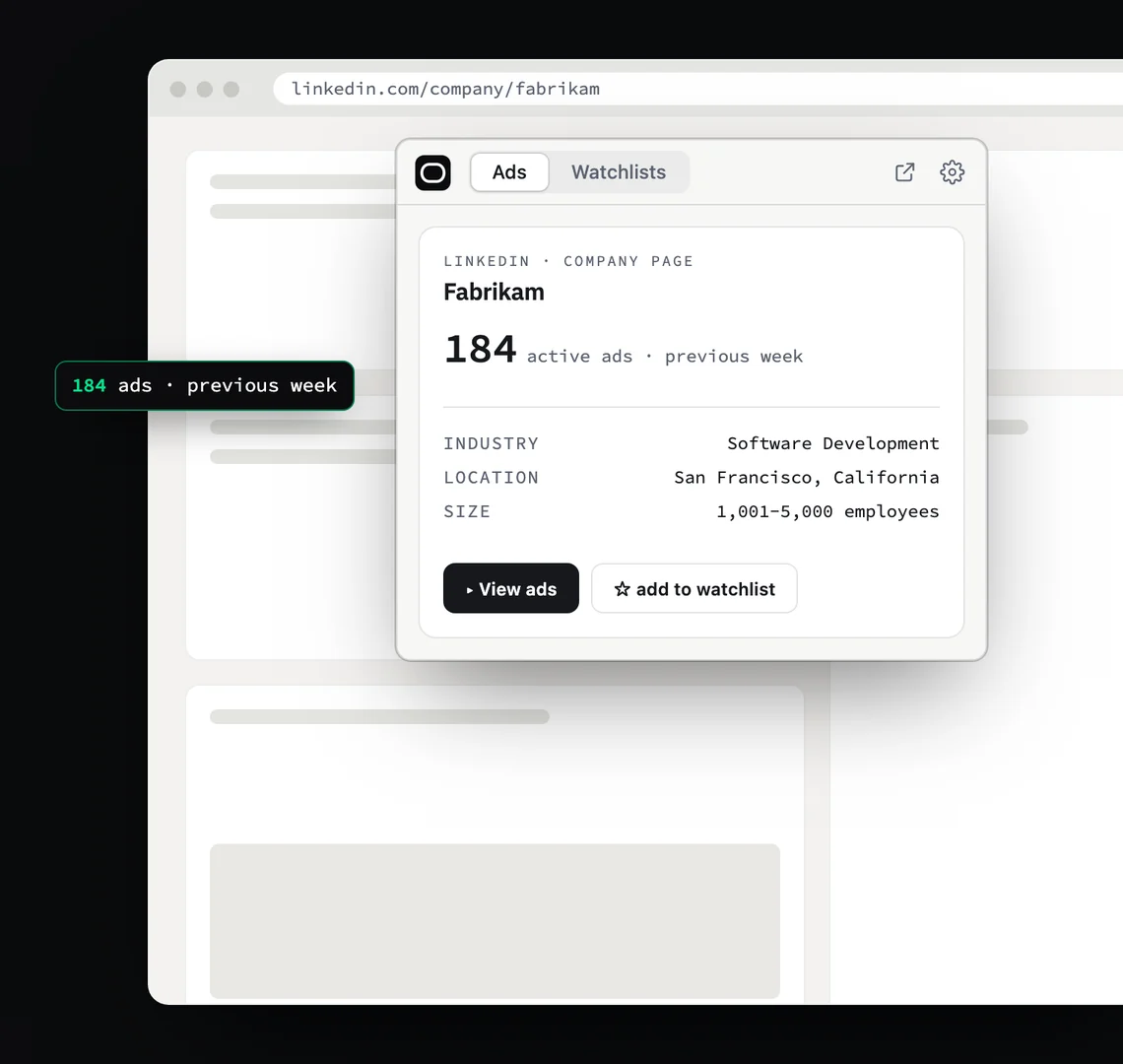
Open any LinkedIn company page. Overt shows its active ads for the previous week, with its industry and size, in one click.

  • Active ads, previous week

    The number, for the week that just ended. A week that could not be measured shows “—”, never “0 ads”.

  • Industry, location, size

    The essentials, next to the number.

  • View ads, or star

    One click opens the company’s ads. One star adds it to a watchlist.

The extension on an advertiser’s LinkedIn page: 184 active ads the previous week, with its industry, location and size.
On any website

Visit a site. Know who advertises.

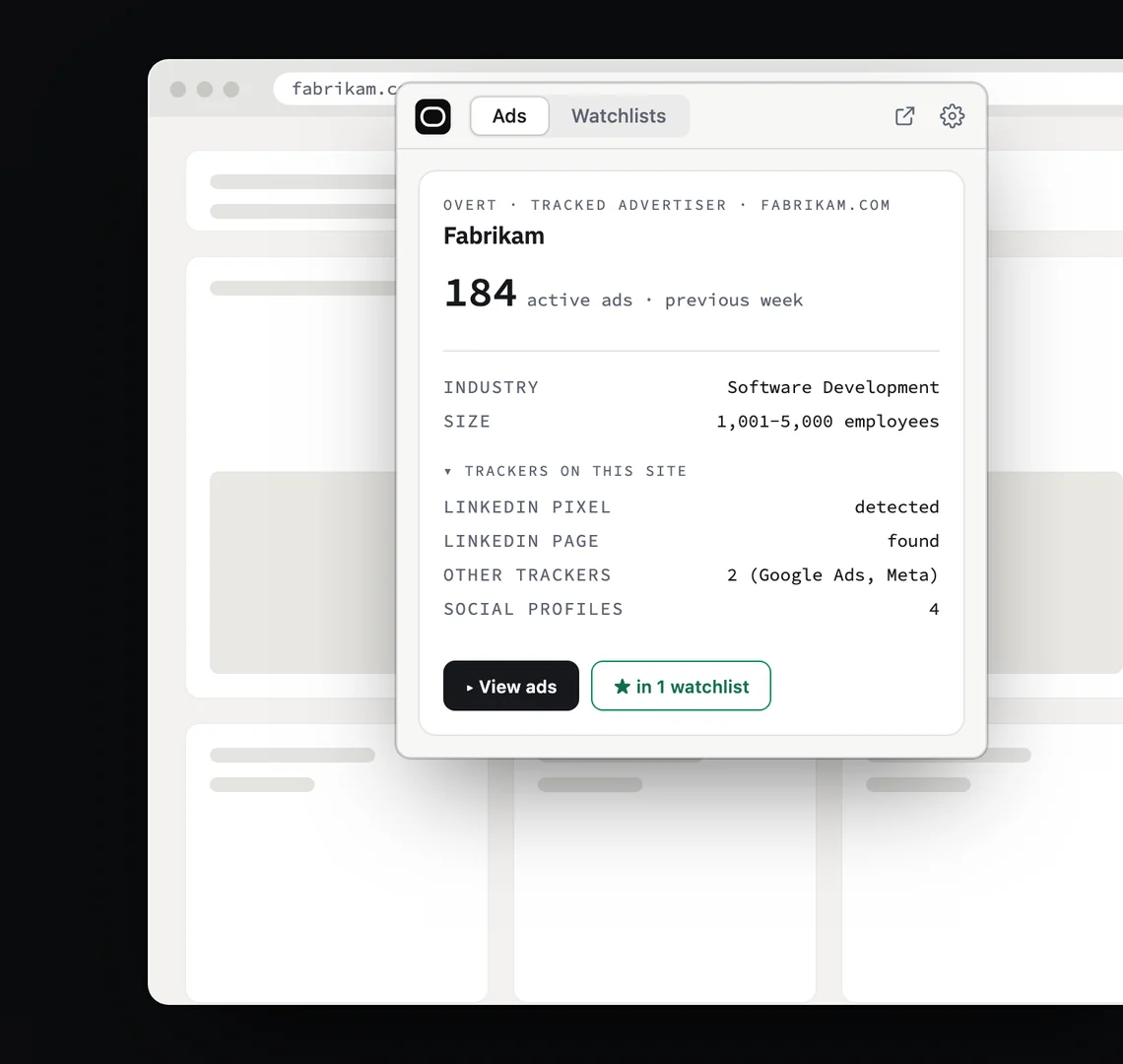
On a company’s own website, Overt recognizes the advertiser, shows its ad volume on LinkedIn Ads and lists the ad trackers the site runs.

  • The advertiser behind the site

    Its name, its ad volume on LinkedIn Ads, and a star to follow it.

  • The ad trackers the site runs

    LinkedIn Insight Tag, Google Ads, Meta Pixel and others.

  • Checked on your device

    The addresses of the sites you visit are never sent anywhere.

The extension on an advertiser’s website: 184 active ads the previous week, a LinkedIn pixel and two other ad trackers found on the site.
Watchlists

Star a company. It’s in your watchlist.

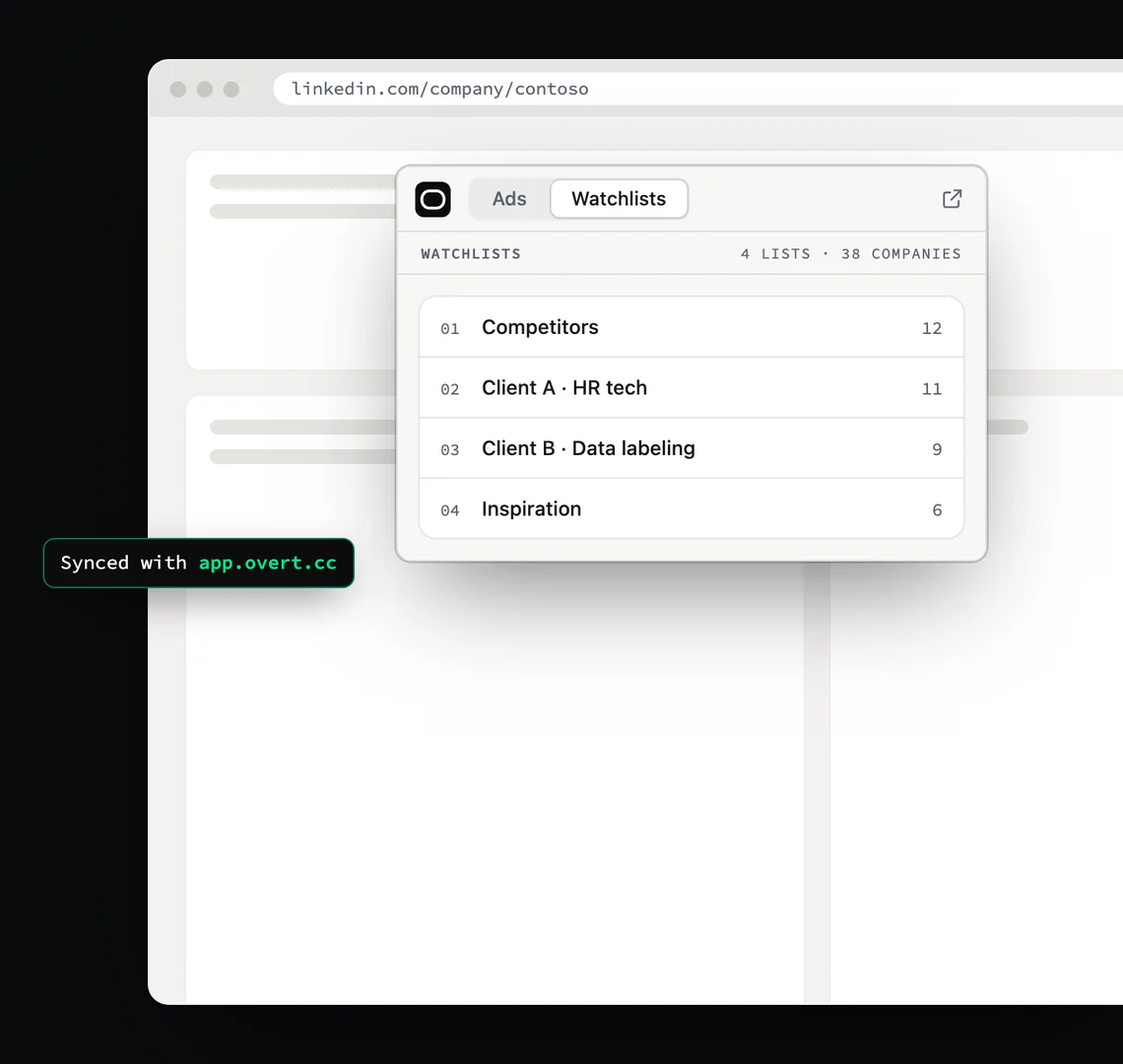
One list per client or per market. Your watchlists sync with your Overt account, where every company is measured every week.

  • A star from any page

    Company page, Ad Library or website: the star is always there.

  • Synced with app.overtintelligence.co

    The same lists in the extension and in the web app, for your whole team.

The extension’s watchlists: four lists, 38 companies, synced with app.overtintelligence.co.
Your Overt account

One account. The extension, and the web app.

The extension signs in with your Overt account, the same one that runs the web app. Create it once, free, and both are yours.

Sign in once

The extension signs in through the web app

Click “Sign in” in the extension: it opens app.overtintelligence.co, and your session comes back to the extension. Nothing else to set up.

Same lists everywhere

A star here is a company followed there

Every company you star in the extension is followed in the web app, and measured every Monday on LinkedIn Ads, Google Ads and Microsoft Ads.

Free

Up to 5 companies followed, no card

Counting and filtering an Ad Library doesn’t count toward it. Unlimited seats for your team. More companies, and every week of their ads, with Plus.

Pricing

Coming from Shado? Shado is now Overt. Create your free account on the computer where you use Shado: your companies and watchlists move over automatically, free for good. Migrate by Oct 31, 2026.

FAQ

About the LinkedIn Ad Library Chrome extension.

Anything else: hello@overtintelligence.co

Is the extension free?

Yes. Counting, filtering by format, A/B variants, languages and the download are free, with a free Overt account. The account is free for up to 5 companies followed, no card required.

Is it a LinkedIn ad spy tool?

Nothing is spied on. The extension works on ads companies publish for anyone to see in the LinkedIn Ad Library: it counts them, sorts them by format and lets you download them. Hence the name: everything Overt shows is public.

Do I need an Overt account?

Yes. The extension signs in with your Overt account, so your watchlists are the same in the extension and in the web app. Creating one takes a minute and asks for no card.

Will the extension add Google Ads or Microsoft Ads?

No. The extension is built for LinkedIn Ads and stays that way: it does one thing where you already look, and does it well. Activity on Google Ads and Microsoft Ads lives in the Overt web app, next to LinkedIn Ads, for every company you follow.

What’s in the download?

A ZIP with the ads you had on screen, as an HTML sheet and a JSON file, grouped by language and then by format. Filter first, download after: the file holds what you see.

Does it need access to my LinkedIn Ads account?

No. Overt never asks for your ad accounts, or anyone else’s. The extension reads the LinkedIn pages you open yourself.

Does Overt see the websites I visit?

No. Recognizing the advertiser behind a site, and the ad trackers it runs, is checked on your device. The addresses of the sites you visit are never sent anywhere. Details in the Privacy Policy.

Which browsers?

Chrome, from the Chrome Web Store. The web app works in any browser.

The LinkedIn Ad Library sorted by format